The Open Loop Trap: Why Email is Killing Your Bandwidth (And How to Fix It)
Most people I know have tried the same thing: turning off notifications.
It works—at least at first. The constant pressure drops. The noise fades. Breathing becomes easier. But then the "Internal Monologue" shifts. Instead of being poked by a red dot, you are haunted by a ghost. Important emails go unanswered. Messages slip through. Follow-ups vanish into the void.
Instead of the old overload, you have a new, quiet anxiety: "I’m probably missing something."
The problem isn’t your lack of discipline. It isn’t "ADHD symptoms" that need managing. The real problem is that modern life expects us to monitor too many open loops at once—and the neurodivergent brain is often built for intensity, not constant background monitoring.
The Modern Signal Problem: Accessibility vs. Availability
We live in a digital environment that confuses accessibility with availability. Because you carry a portal to your entire professional life in your pocket, there is a silent, systemic assumption that you are always listening.
This creates a high-stakes Signal Problem.
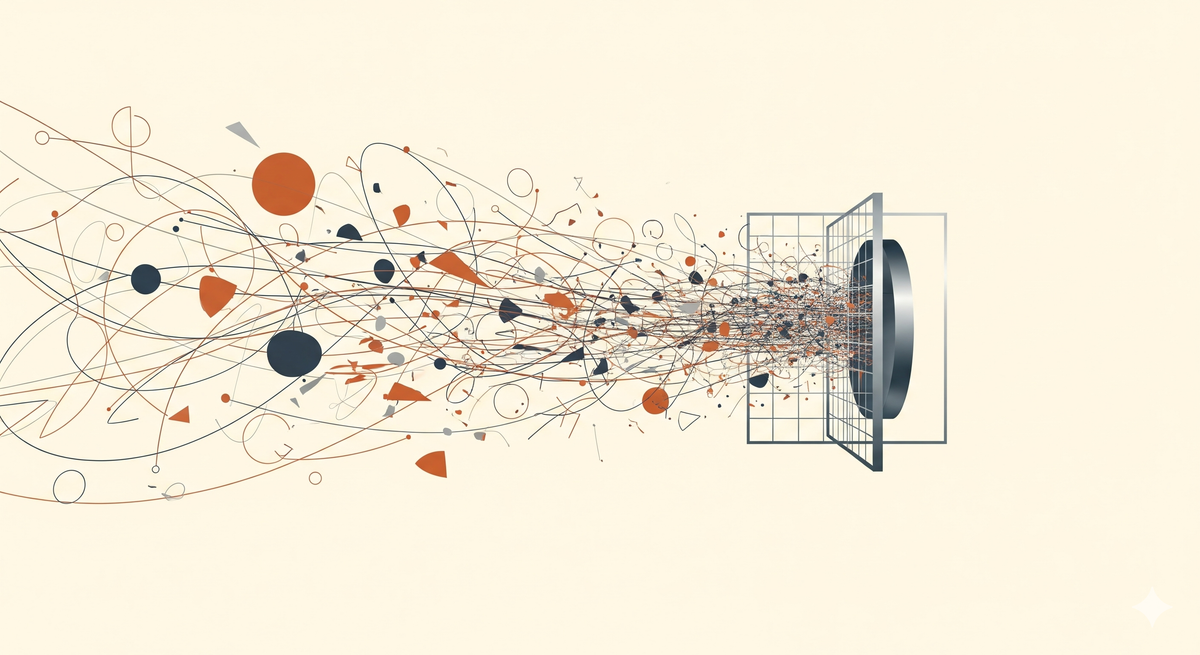
In nature, signals are meaningful; a change in the wind carries specific data. In your inbox, every ping, banner, and newsletter carries the same visual weight. Whether it’s a $10,000 contract or a 10% discount on socks, the "alert" is identical.
When everything is labeled as a signal, nothing can be safely ignored, yet nothing can be truly processed. For a Spiky Profile, this is a recipe for total cognitive shutdown.
The Cognitive Leak: Understanding Open Loops
Every piece of incoming information you cannot act on immediately becomes an "Open Loop." An email that requires a "thoughtful reply," a bill due next Tuesday, or a vague question from a client—these sit in the back of your mind, consuming Signal Bandwidth.
Even when you aren't looking at the screen, your brain is performing the invisible, exhausting work of background monitoring.
Think of your brain like a computer. Every open loop is a background application running while you try to work, hogging your RAM and slowing down the whole system. By the time you sit down to do "real work," your computer is already lagging. You haven't even started your day, and you're already hitting latency issues.
This is why you feel depleted at 5:00 PM despite "not getting much done." You were just a human computer trying to keep too many background apps from crashing the OS.
Pro-Tip: The Zeigarnik Effect Psychology calls this the Zeigarnik Effect—the tendency to remember uncompleted tasks better than completed ones. For us, this isn't a "memory quirk"; it's a Boredom Hazard and a primary source of Admin Debt. It physically reduces your effective IQ by hogging the resources you need for focus.
Why Your To-Do List is a Graveyard
We are told the solution is a "better system." A more robust calendar. A more complex To-Do list.
But calendars are for time, and To-Do lists are for tasks. Neither addresses the anxiety of the in-between.
A To-Do list is often just a graveyard of good intentions that eventually becomes a source of guilt. These tools require you to be the engine. They only work if you have the executive function to check them, update them, and maintain them.
When you are already overwhelmed, looking at a list of forty things you haven't done doesn't help. It just confirms your fear that you are failing the "normal" test.
The Mechanical Fix: Doing Less by Filtering the World
If the problem is the mental load of monitoring, the solution isn't "trying harder." It is Externalizing the Monitor.
The goal isn't to become a productivity machine. The goal is Sanity. You need a system that doesn't ask you to be disciplined. You need a Mechanical Filter.
The goal is to move the "loop" out of your brain and into a reliable container that only shows you what you need when you are actually ready to see it. This is a core pillar of the NeuroSovereign Tech Stack: building an infrastructure that guards your peace so you don't have to.
The Blueprint: 3 Steps to Loop Containment
- The Triage Audit: Admit that 80% of your "signals" are actually noise. If you haven't opened a newsletter in three weeks, it's not a resource; it's a leak.
- Mechanical Partitioning: You should never see a "discount code" email in the same space where you see client communications. Separate the "Doing" from the "Distraction" at the protocol level.
- Automated Re-Entry: If a task isn't relevant now, it should be physically removed from your sight and programmed to reappear only when it is actionable.
The Tool: SaneBox (Your Attention Guard)
To execute this blueprint without adding to your own Admin Debt, you need a tool that handles the noise so you don't have to.
SaneBox is an attention filter that sits on top of your email. It doesn't ask you to sort your mail; it learns what you ignore and moves non-essential messages into separate folders (like @SaneNews or @SaneLater) automatically.
I stopped using my brain to sort mail so I could use my brain to build sovereignty. SaneBox is the filter that protects my bandwidth
Why this works for Spiky Profiles:
- Zero Discipline Required: It works while you sleep. No "habit streaks" needed.
- Reduced Decision Fatigue: It drastically lowers the number of times you have to ask, "Is this important?" saving that energy for high-leverage work.
- Loop Containment: You can "SaneBlackHole" an annoying sender forever with one click. No "unsubscribing" dance required.
I just wish we had something similar for messenger apps. Until Slack and WhatsApp can be filtered with this kind of mechanical ruthlessness, email is the one place where we can actually win the war on noise.
Affiliate Transparency: We use SaneBox, we like it, and if you buy it through our link, they give us a cut (at no extra cost for you). Sovereignty requires funding.
A Saner Default
We have been conditioned to believe that if we are overwhelmed, we are the problem. We think we need to be more resilient or more "on."
But the modern pace is objectively unreasonable for a brain built for intensity. Using a mechanical filter like SaneBox or building your own Sovereign Infrastructure isn't "cheating." It means you are being a good steward of your limited energy.
The goal isn't to get more done. The goal is to reach the end of the day with a bit of yourself left over.
If we delegate the monitoring to the machines, we might find we have the space to simply be human again.
Implementation Steps:
- Audit your "In-Between" Anxiety: Identify the one email thread currently "ghosting" your brain and hogging your system resources.
- Deploy a Filter: Set up SaneBox to handle the @SaneLater noise so you stop seeing the "Sock Discount" signals.
- Exit the System: This mechanical approach to email is just the beginning of the NeuroSovereign Tech Stack. Stay tuned as we build out the full blueprint for a low-admin life.
People Also Asked
How do I get rid of constant unwanted emails?
Getting rid of unwanted emails is a battle of Signal vs. Noise. Most people rely on manual protocols like unsubscribing or marking as spam, but these are essentially Admin Debt. They require you to open the email, find a tiny link, and wait for a confirmation page—a classic Boredom Hazard that breaks your focus.
The Sovereign Fix: @SaneBlackhole Instead of manual labor, use a Mechanical Filter. SaneBox features a folder called @SaneBlackhole. You don’t "unsubscribe"; you simply drag an unwanted email into that folder once.
The system learns the sender immediately and shreds every future email from them before it ever hits your inbox. No clicking links, no "processing" the noise. It’s a permanent, automated block that protects your Signal Bandwidth without requiring your ongoing discipline.
How do I stop spam emails from coming to my inbox?
You can’t stop the world from sending you garbage, but you can build a Perimeter Protocol that ensures it never touches your nervous system. Spam is a Signal Leak—it’s the digital equivalent of background static that lowers your effective IQ every time you have to scan past it.
The Sovereign Fix: Intelligent Filtering While basic "Spam Folders" catch the obvious scams, they often fail at filtering "Grey Mail"—the semi-legitimate marketing noise that bypasses standard filters but still drains your Signal Bandwidth.
The mechanical solution is to use a tool like SaneBox to act as your Digital Bouncer. By automatically moving low-importance mail into the @SaneLater folder, you aren't just "blocking spam"; you are prioritizing your attention. For the most persistent offenders that refuse to take the hint, you can deploy the @SaneBlackhole to permanently shred their signal before it ever touches your radar. You stop the spam from reaching your inbox by making the inbox a "Verified Signals Only" zone. You don’t manage the noise; you exclude it.
What is the best way to manage email clutter?
Managing clutter isn't about "getting organized"—that’s a trap that creates more Admin Debt. The best way to manage clutter is to delegate the hierarchy to a system that doesn't rely on your executive function.
The Sovereign Fix: SaneFolders Instead of you manually tagging and filing every message, a tool like SaneBox uses Mechanical Triage. It identifies what is a "human-to-human" signal and keeps that in your inbox, while moving everything else (newsletters, receipts, social pings) into dedicated folders like @SaneNews or @SaneReceipts.
This reduces the Cognitive Load of scanning your inbox because the hierarchy is already established before you even open the app. You don't manage clutter; you outsource the sorting so you only interact with high-leverage information.
Can you make certain emails automatically go into a folder?
Yes. While the system uses AI to handle the bulk of the triage, you can exert Sovereign Control by training it to recognize specific patterns. If you have a high-stakes project or a specific client that needs its own "container," you can create a custom folder and simply drag an email from that sender into it.
The Sovereign Fix: Predictive Training SaneBox monitors this movement and asks if you want all future emails from that sender to follow the same path. By saying yes, you've created an automated rule without touching a single complex "if/then" menu. Additionally, you can use SaneReminders to make emails vanish from your sight and automatically reappear in your inbox only when they are actionable (e.g., "Monday morning"). You aren't just moving mail; you are programming your environment to respect your Signal Bandwidth.